











THINKCAR THINKSCAN 689BT Pro – J2534 & Topology
699,90 €
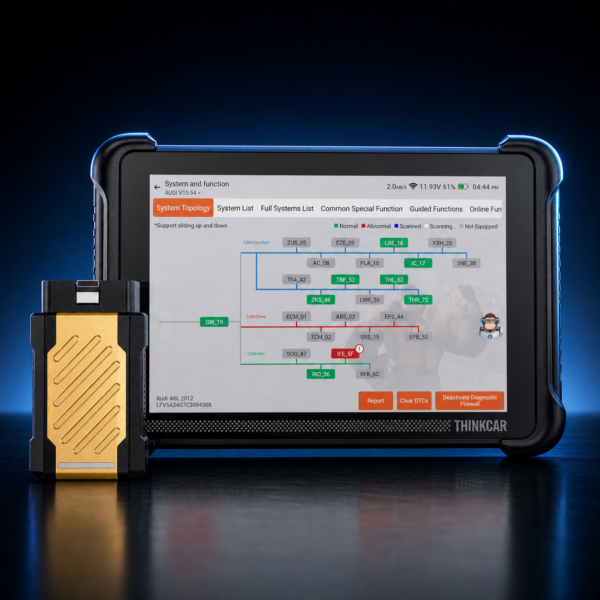
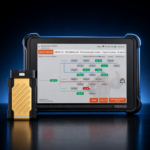
THINKCAR THINKSCAN 689BT Pro – diagnostic tablet with a gold-colored J2534 VCI for professional workshops.
- Graphical ECU topology and AI-assisted repair guidance
- J2534 Pass-Thru for compatible OEM software on Windows PCs
- 4,000+ active tests, ECU coding and 35+ service functions
- Lifetime updates according to the manufacturer
OEM software and manufacturer access are not included.
THINKCAR THINKSCAN 689BT Pro – J2534 & Topology
699,90 €
- Description
- Jetzt kontaktieren
- Additional information
- Reviews (0)
Description
THINKCAR THINKSCAN 689BT Pro – Diagnostics with Topology, J2534 and AI Guidance
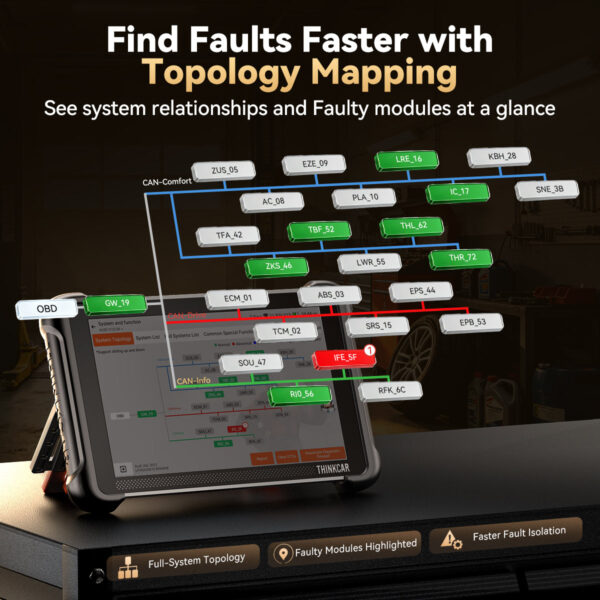
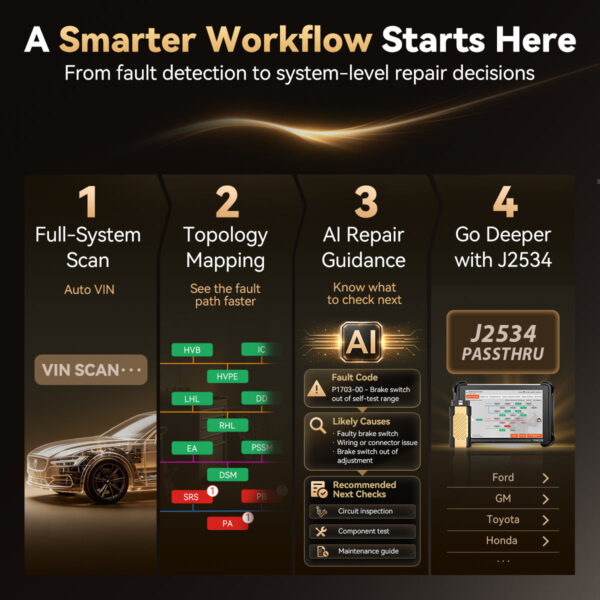
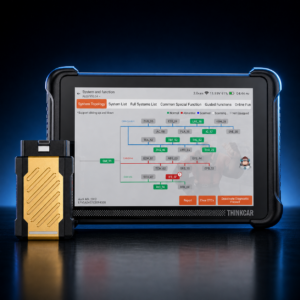
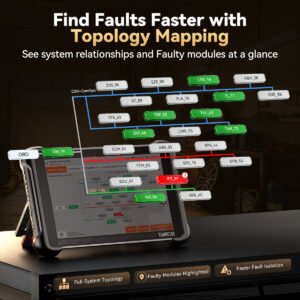
With the THINKCAR THINKSCAN 689BT Pro, workshops can trace faults beyond a simple ECU list: the graphical topology displays networks, modules and unusual communication paths at a glance. The gold-colored magnetic VCI clearly distinguishes the Pro model from the standard 689BT and also serves as a J2534 Pass-Thru interface for manufacturer software.
- ECU Topology
- J2534 Pass-Thru
- 4,000+ Active Tests
- 35+ Service Functions
- CAN FD & DoIP
- Lifetime Updates
Identify Fault Paths Instead of Opening ECUs One by One
The 689BT Pro topology graphically displays the connections between detected control units. Failed or unusual modules can therefore be identified and assessed more quickly. Depending on the vehicle, ECU information, fault codes, live data, AutoVIN, AutoScan, diagnostic reports and bidirectional controls are then available. THINKCAR specifies more than 4,000 active tests for the current Pro model.
J2534 as a Bridge to OEM Diagnostics
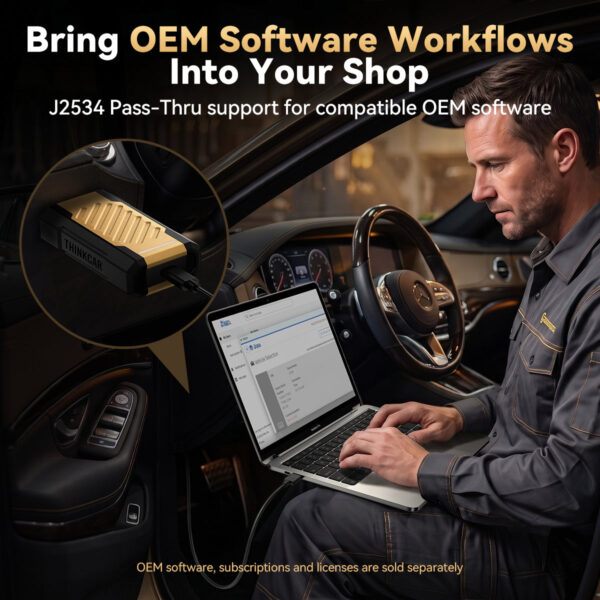
For compatible OEM applications, the 689BT Pro VCI can be used via J2534 with a Windows PC. THINKCAR lists testing with Toyota Techstream, Honda HDS, Volvo VIDA, ODIS, BMW ISTA, Ford IDS/FDRS, Subaru SSM4, GM GDS2, wiTECH 2.0, Mercedes-Benz XENTRY and Jaguar Land Rover SDD.
Practical Example: Software Update via J2534
If a manufacturer releases new software for an ECU, for example as part of a service campaign, the 689BT Pro can be used as a Pass-Thru interface. A typical workflow looks like this:
- Diagnose Before ProgrammingUse the tablet to read and document fault codes and the current ECU software version.
- Prepare the WorkstationPrepare a Windows laptop with the appropriate OEM software and active manufacturer access, connect the 689BT Pro VCI to the vehicle and use a battery support charger to maintain stable voltage.
- Install the SoftwareThe manufacturer software recognizes the VCI as a J2534 interface and guides you through the programming process.
- Check AfterwardsScan the vehicle again with the tablet: verify the software version, clear fault codes and perform any required relearn procedures.
Diagnostics, Coding and Workshop Service
Diagnostics and Coding
- Full-system scan with fault code, live data and report functions
- ECU coding, adaptations and personalization on supported control units
- 4,000+ bidirectional active tests according to current manufacturer specifications
- AI-assisted guidance on possible causes and next diagnostic steps where data is available
Service and Communication
- 35+ service functions: Oil, EPB, TPMS, BMS, DPF, SAS, Throttle, Injector, ABS Bleeding, EGR, Transmission, AdBlue
- CAN FD and DoIP for modern vehicle communication
- Support for protected gateways including FCA, VAG SFD and Mercedes-Benz on compatible vehicles
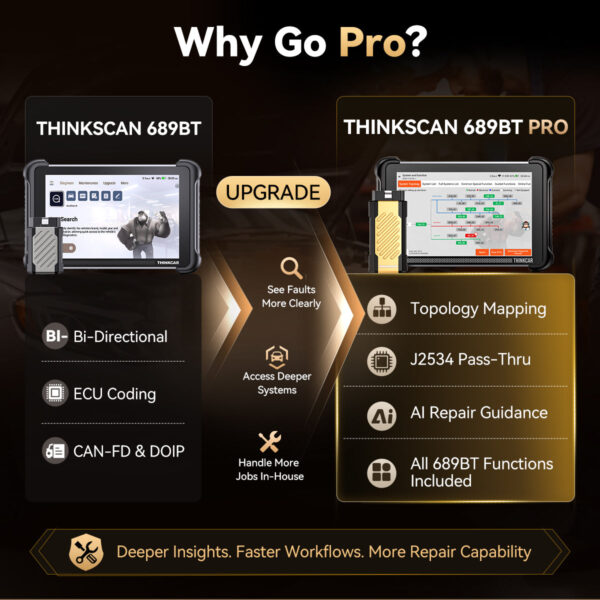
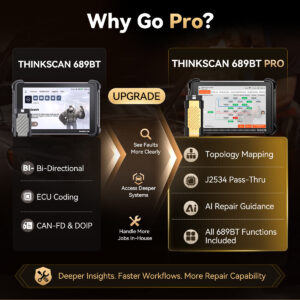
689BT Pro Compared with the 689BT
| Feature | 689BT | 689BT Pro |
|---|---|---|
| Full-System Diagnostics and Active Tests | Vehicle-dependent | Vehicle-dependent |
| ECU Coding, CAN FD and DoIP | Yes, vehicle-dependent | Yes, vehicle-dependent |
| Graphical ECU Topology | No | Yes |
| J2534 Pass-Thru | No | Yes |
| AI Repair Guidance | No | Yes, where supporting data is available |
The THINKSCAN 689BT without Pro remains an alternative if you do not require topology, J2534 connectivity or AI guidance. Another option in the same device class with topology and J2534 is the MUCAR 892BT Pro.
Technical Specifications
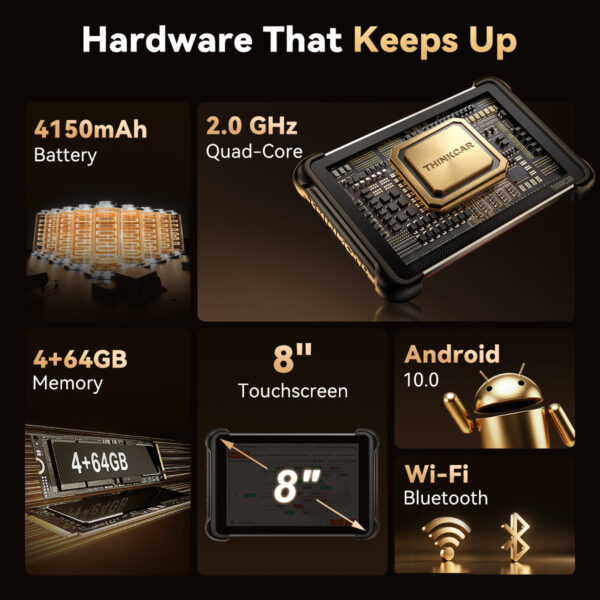
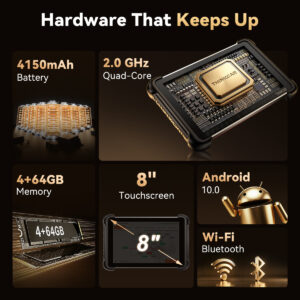
| Display | 8 inches, 1280 × 800 pixels |
|---|---|
| Operating System | Android 10 |
| Processor | 2.0 GHz Quad-Core |
| RAM / Storage | 4 GB RAM / 64 GB |
| Battery | 4,150 mAh |
| Wireless Connectivity | Bluetooth 5.0 and Wi-Fi |
| Diagnostic Interface | Magnetic, gold-colored J2534 VCI |
| Languages | 30 device languages |
| Warranty | 12-month manufacturer’s warranty |
What’s Included?
- 689BT Pro tablet
- Gold-colored J2534 VCI
- 3-in-1 power adapter with plug attachments
- USB-C, charging and/or diagnostic cables
- Quick start guide / documentation
- Carrying case
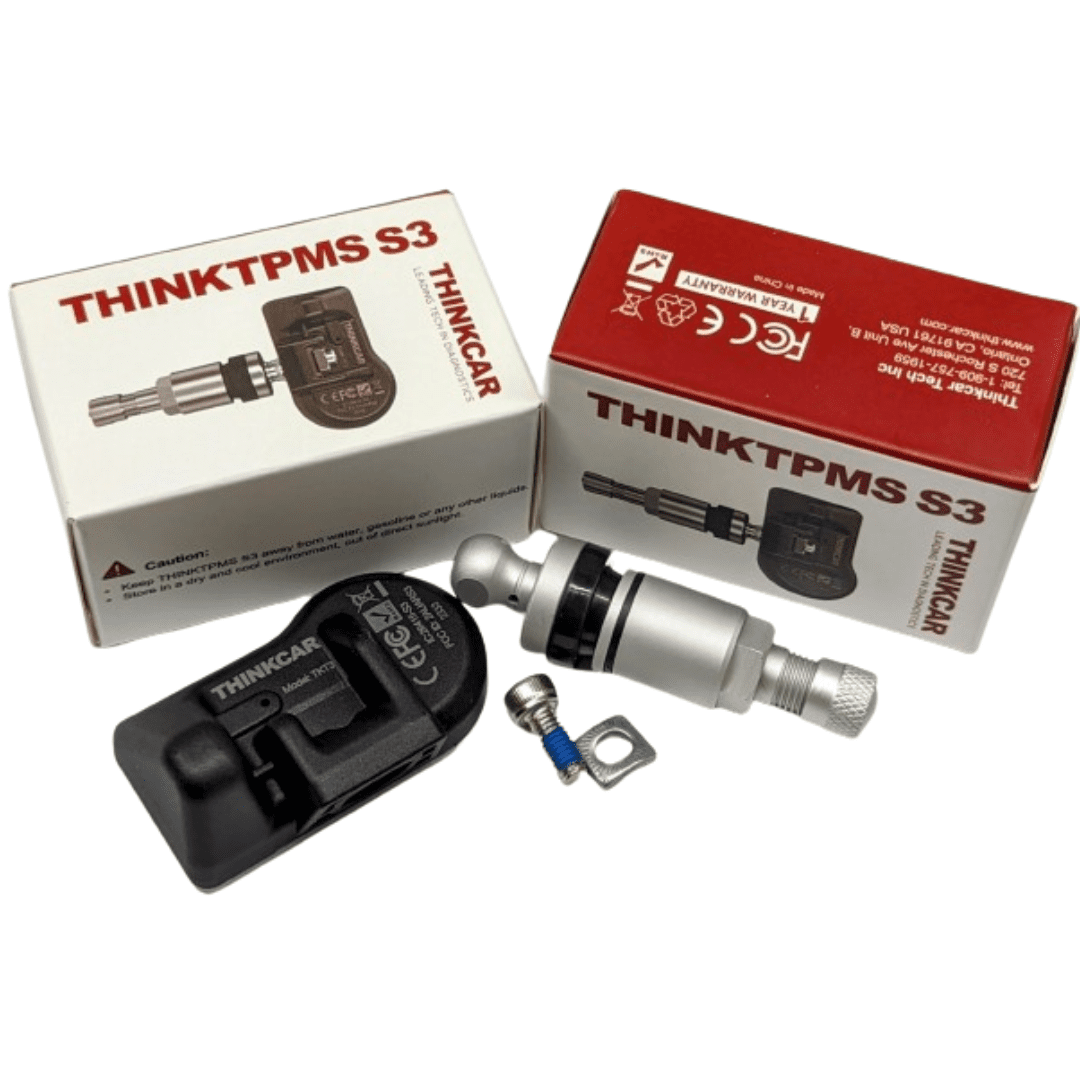
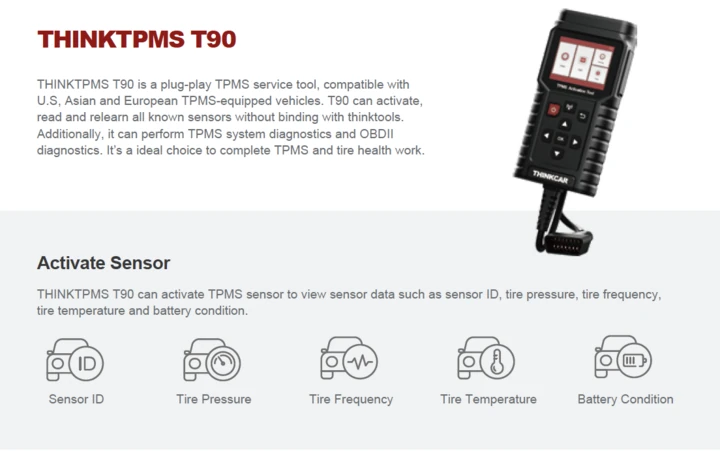
Information based on the current manufacturer’s product images. The actual contents of the set shipped are decisive. Optional accessories include TKEY101, compatible THINKCAR TPMS tools and an endoscope (sold separately).
Updates, Vehicle Coverage and Pre-Purchase Compatibility Check
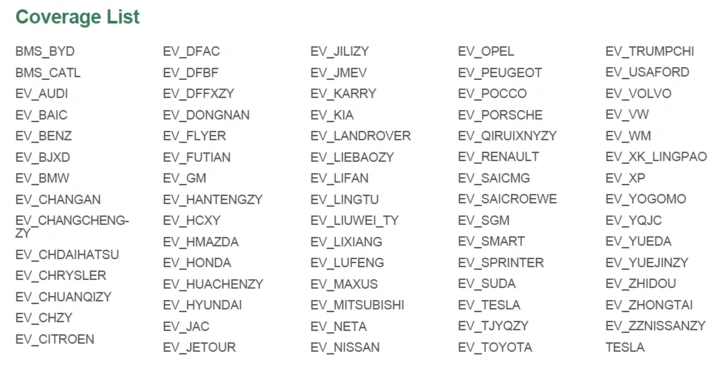
THINKCAR advertises free lifetime updates for supported vehicle brands and coverage of more than 100,000 vehicles. This does not mean that every function is available on every vehicle. Check your vehicle using the official THINKCAR Coverage Checker or contact us for a compatibility check before purchasing.
Check a Function Before You Buy
Send us the VIN, model year and the function you need – diagnostics, coding or J2534. We will check whether the 689BT Pro supports it for your vehicle.
12-month manufacturer’s warranty. Statutory warranty rights remain unaffected.
Frequently Asked Questions About the THINKCAR 689BT Pro
How can I identify the 689BT Pro?
By the gold-colored magnetic VCI. The standard 689BT has a different VCI without J2534 functionality.
Is OEM software such as ODIS, ISTA or XENTRY included?
No. The 689BT Pro provides the J2534 connection. OEM software, manufacturer access and subscriptions must be obtained from the respective manufacturer.
Do I need a laptop for J2534?
Yes. The manufacturer software runs on a Windows PC, while the 689BT Pro VCI connects the PC to the vehicle.
Are there any update fees?
THINKCAR advertises free lifetime updates for supported vehicle brands.
What is the difference between the 689BT Pro and the standard 689BT?
The Pro additionally includes graphical topology, J2534 Pass-Thru and AI repair guidance. Diagnostics, coding and service functions are available on both models depending on the vehicle.
Additional information
| Weight | 2 kg |
|---|
Be the first to review “THINKCAR THINKSCAN 689BT Pro – J2534 & Topology” Cancel reply
You must be logged in to post a review.



Reviews
There are no reviews yet.