





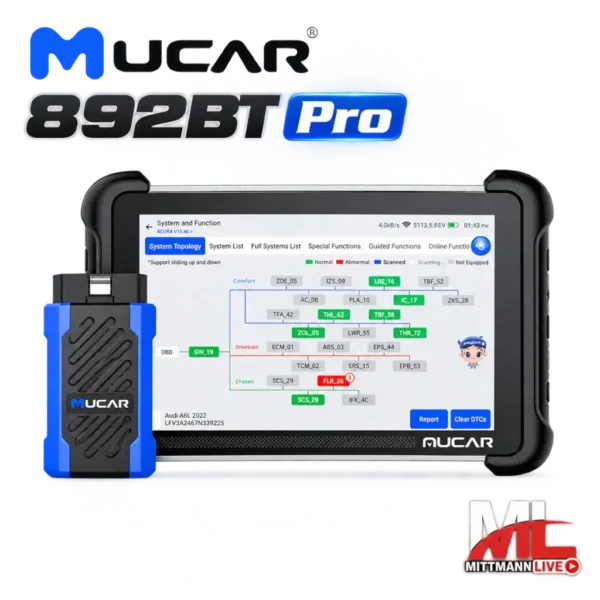
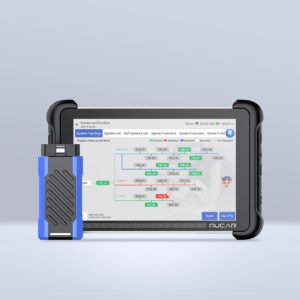
MUCAR 892BT Pro – Professional Diagnostic Tool with Topology & J2534
699,00 €
Professional diagnostic tablet for workshops that need more than just fault code reading:
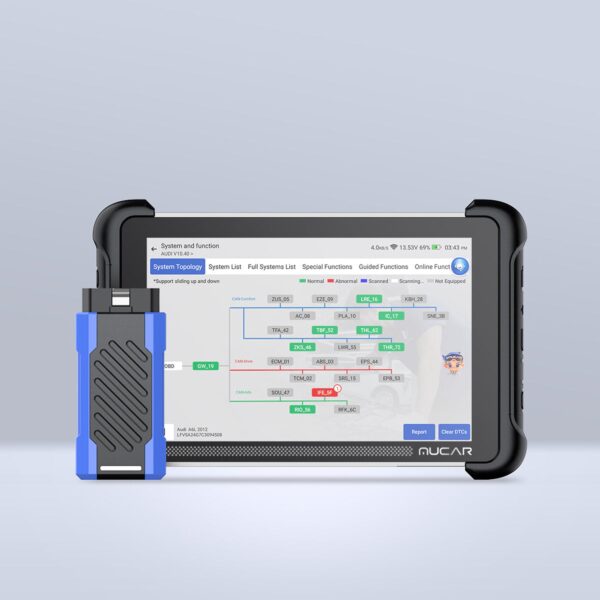
- Graphical ECU topology for fast vehicle network diagnostics
- J2534 Pass-Thru for compatible OEM software on Windows PCs
- 3,000+ active tests, ECU coding and 35+ service functions
- Lifetime updates with no annual fee
Free worldwide shipping. OEM software and manufacturer access are not included.
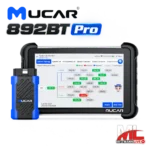
MUCAR 892BT Pro – Professional Diagnostic Tool with Topology & J2534
699,00 €
- Description
- Jetzt kontaktieren
- Additional information
- Reviews (0)
Description
“`html
MUCAR 892BT: Workshop Diagnostics with Coding – No Annual Update Fee
The MUCAR 892BT is a wireless OBD2 diagnostic tool in an 8-inch tablet format for users who need more than a basic fault code reader: full-system diagnostics, bidirectional tests, ECU coding and more than 35 service functions in one device. The MUCAR diagnostic software includes lifetime updates with no annual license fee.
- Full-System Diagnostics
- Bidirectional Tests
- ECU Coding
- 35+ Service Functions
- CAN FD & DoIP
- Lifetime Updates
Who Is the MUCAR 892BT For?
Independent Workshops
For everyday workshop tasks: read faults from all accessible control units, reset service intervals and perform component adaptations after replacement without needing a separate diagnostic tool for every vehicle brand.
Used Car Dealers & Vehicle Buyers
Before buying a vehicle, check not only the engine control unit but all available systems. Stored faults in the ABS, airbag or transmission systems can often reveal more about a vehicle than a test drive alone.
Experienced DIY Mechanics
Register a new battery, replace brake pads on vehicles with an electronic parking brake or code supported comfort functions – tasks that would otherwise often require a visit to a workshop.
Practical Example: The Radiator Fan Does Not Start
The 892BT helps you work step by step from the warning or fault to the actual cause – instead of replacing parts based on guesswork.
- Read fault codesThe engine control unit reports a fault in the fan control system. The code shows where to start looking – not necessarily which component is defective.
- Monitor live dataCoolant temperature and the requested fan value can be monitored in real time. If the ECU is requesting the fan to operate, you can verify whether the command is being issued.
- Activate the fan with an active testThe tablet commands the fan directly. If it runs, the problem is more likely related to sensors or control logic. If it does not run, the fan, relay, fuse and wiring are the next points to check.
- Verify the repairAfter the repair, clear the fault codes, allow the engine to reach operating temperature and check whether the fault returns.
Bidirectional Tests and ECU Coding
Active Tests: Control Components Directly
During a bidirectional test, the diagnostic tool sends a command to the control unit, which then activates a component such as a fan, pump, relay, window regulator or lighting system. This allows you to test both the component and its control circuit without removing parts. Available tests depend on the vehicle.
ECU Coding: Adjust Supported Settings
ECU coding allows you to change supported control unit settings, adapt replacement components or activate available comfort functions. Coding is not the same as programming: the 892BT does not write new control unit software. If you need to flash modules using manufacturer software, J2534 support is required – this is available with the MUCAR 892BT Pro.
35+ Service Functions: Which Function for Which Job?
Many maintenance procedures on modern vehicles are only complete after the relevant control unit has been reset, adapted or informed. Typical examples include:
- Oil change completedReset service interval
- Rear brake pads replaced on a vehicle with electronic parking brakeEPB maintenance mode
- New battery installedBattery registration (BMS)
- Wheel alignment or steering work performedSteering angle sensor calibration
- Throttle body cleaned or replacedThrottle adaptation
- Injector replacedInjector coding
- DPF warning with required conditions metDPF regeneration
- Work performed on the ABS hydraulic systemABS bleeding
- Tires or TPMS sensors replacedTPMS service
- Transmission shifts poorly after repairTransmission adaptation
The availability and procedure of each function depend on the vehicle brand, model, model year and control unit.
Vehicles with Security Gateway (SGW)
Newer vehicles from FCA, Mercedes-Benz and the Volkswagen Group protect access to control units through a Security Gateway. Reading fault codes is usually possible, but an unlock may be required for active tests, coding or clearing faults. Suitable MUCAR licenses are available for these systems:
- MUCAR FCA SGW Gateway Unlock – 1 Year (Fiat, Jeep, Chrysler, Dodge, Alfa Romeo)
- MUCAR Mercedes SGW Gateway Unlock – 1 Year
- MUCAR VAG SFD2 Gateway Unlock – 1 Year (VW, Audi, Skoda, Seat, Cupra)
MUCAR 892BT or 892BT Pro?
Both devices use the same tablet and diagnostic software for troubleshooting, coding and service functions. The main difference is two professional workshop features available only with the Pro version.
The 892BT Is Right for You If …
- You want to diagnose faults, reset service functions and adapt components
- You want to code supported comfort functions
- You do not need to flash control units using manufacturer software
- You are looking for an excellent balance between price and functionality
Choose the 892BT Pro If …
- You want to identify communication faults in the vehicle network using graphical topology
- You want to use manufacturer software such as ODIS, ISTA or XENTRY via J2534 on a Windows PC
- Your workshop programs control units
Important: The MUCAR 892BT cannot later be upgraded to the 892BT Pro through a software update or activation. If you expect to need topology or J2534, choose the Pro version from the start.
Technical Specifications
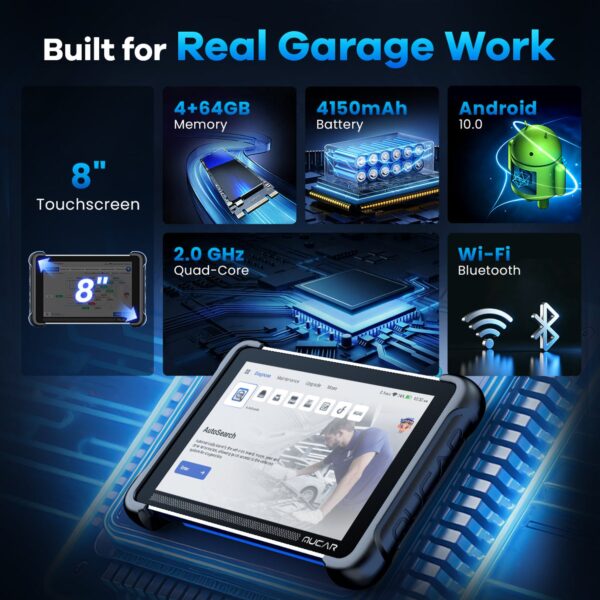
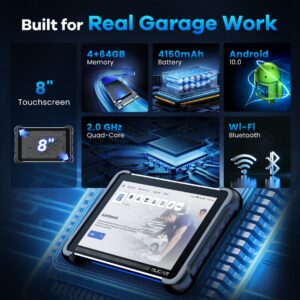
| Display | 8-inch touchscreen, 1280 × 800 pixels |
|---|---|
| RAM / Storage | 4 GB RAM / 64 GB |
| Vehicle Connection | Bluetooth VCI (Bluetooth 5.0) |
| Wi-Fi | 2.4 GHz and 5 GHz |
| Battery | 4,150 mAh |
| Protocols | OBD2 / EOBD, CAN FD, DoIP |
| Service Functions | 35+, vehicle-dependent |
| Topology / J2534 | No – available only with the 892BT Pro |
| Software Updates | Lifetime updates with no annual MUCAR update fee |
Package Contents
- Diagnostic tablet
- Bluetooth dongle (VCI)
- 3-in-1 charger
- USB-C cable
- RJ45 network cable
- USB network adapter
- F-Chassis adapter
- User manual
What “Lifetime Updates” Mean for the 892BT
There is no annual update fee for the included MUCAR diagnostic software – unlike many diagnostic tools in this class that require additional payments after the first or second year. Gateway unlocks (see above), paid manufacturer portals and third-party services are not included. The scope and availability of individual updates may vary depending on the vehicle, software version and region.
Shipping and Compatibility Check
Free worldwide shipping: approximately 1–7 business days within Europe and approximately 5–14 business days to the rest of the world.
Not Sure Whether Your Vehicle Is Supported?
Send us the make, model, model year, engine and the function you need. Before you buy, we can check whether the MUCAR 892BT supports the required function for your vehicle.
Frequently Asked Questions About the MUCAR 892BT
Can I upgrade the MUCAR 892BT to the 892BT Pro later?
No. The 892BT and 892BT Pro are separate product configurations. Topology and J2534 cannot be added later through a software update or activation.
Are there any update fees after purchase?
Not for the MUCAR diagnostic software – updates are provided for the lifetime of the product with no annual update fee. Gateway unlocks and manufacturer portals are separate.
Can the 892BT program control units?
It can perform coding, adjustments and adaptations, but it cannot flash new control unit software. For this, J2534 support together with manufacturer software is required, which is supported by the 892BT Pro.
Do I need a Security Gateway unlock?
On newer FCA, Mercedes-Benz and Volkswagen Group vehicles equipped with a Security Gateway, an unlock may be required for active tests, coding or clearing fault codes. Reading fault codes is usually possible without an unlock.
Does the 892BT have a topology view?
No. Graphical control unit topology is available only with the MUCAR 892BT Pro.
How does the tablet connect to the vehicle?
The included dongle (VCI) plugs into the vehicle’s OBD2 port and connects to the tablet via Bluetooth. This allows you to move freely around the vehicle, for example when performing active tests in the engine bay.
Will the 892BT work with my vehicle?
Basic diagnostics work with most vehicles equipped with an OBD2 port. Coding, active tests and service functions are vehicle-dependent – contact us before purchasing and we will be happy to check compatibility.
“`
Additional information
| Weight | 1,7 kg |
|---|
Be the first to review “MUCAR 892BT Pro – Professional Diagnostic Tool with Topology & J2534” Cancel reply
You must be logged in to post a review.


Reviews
There are no reviews yet.