





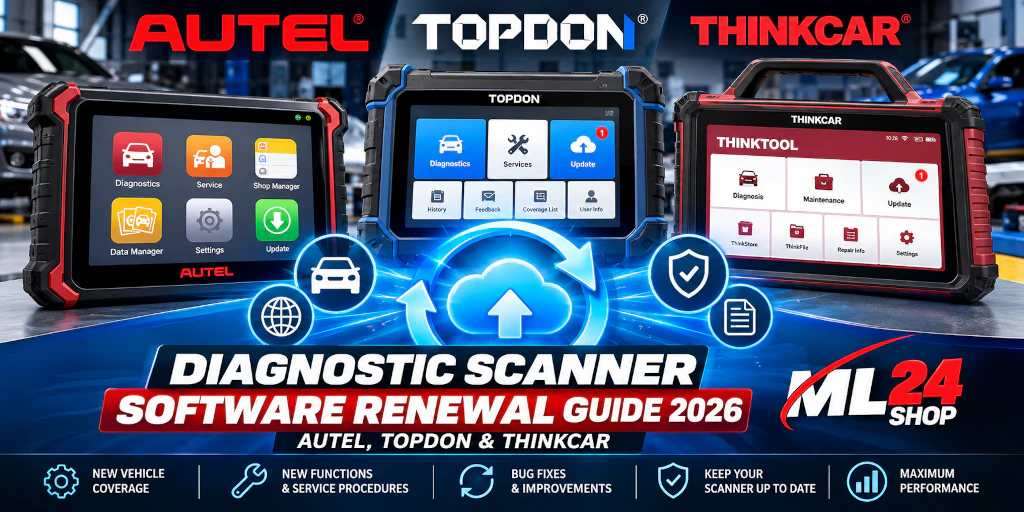
How to Renew Diagnostic Scanner Software in 2026: Autel, TOPDON & THINKCAR
Has your diagnostic scanner software subscription expired? Learn what happens when updates end, how to choose the correct renewal license, and when paying for another year makes sense for your workshop.
A professional automotive diagnostic scanner is a long-term investment. But vehicle technology changes quickly. New model years, electronic control units, communication protocols and service procedures can make older diagnostic software less useful over time.
Many diagnostic tools use a subscription or update license to provide access to new software releases. Once that period ends, the scanner may continue working with previously installed software, but access to new updates can stop.
This guide explains diagnostic scanner software renewal for Autel, TOPDON and THINKCAR/THINKTOOL, including practical buying advice and common compatibility mistakes.
1. What Happens When Your Diagnostic Scanner Software Expires?
The first thing to understand is the difference between an expired update subscription and a non-functional diagnostic tool.
On many professional scanners, an expired update subscription does not immediately disable the diagnostic functions already installed. You may still be able to read and clear fault codes, view live data and use supported service functions on vehicles covered by your existing software.
However, depending on the manufacturer and model, you may lose access to newly released vehicle coverage, updated diagnostic procedures, bug fixes and improvements.
Common limitations after updates expire
- Newer vehicle models may not be included.
- Recently introduced control units may not be supported.
- New service procedures may be unavailable.
- Known software issues may remain unresolved.
- Some online or cloud-based features may have separate access requirements.
The exact result depends on the scanner. Some functions may require an active subscription even when basic offline diagnosis remains available.
2. Autel vs TOPDON vs THINKCAR: Software Renewal Comparison
| Brand | Common Device Families | What to Check | Renewal Advice |
|---|---|---|---|
| Autel | MaxiSys, MaxiPRO, MaxiDAS, MaxiIM | Exact model, regional version, serial number and subscription status | Choose a license specifically listed for your device. |
| TOPDON | Phoenix, ArtiDiag and supported specialist tools | Model generation, license duration and optional feature packages | Do not confuse standard software renewal with HD Truck activation. |
| THINKCAR | THINKTOOL Master, Master X, EuroMax, Expert | Device family, serial number and included update coverage | Verify the model before purchasing an annual renewal. |
3. Autel Software Update Renewal
Autel offers a wide range of diagnostic platforms, from compact workshop tablets to advanced professional systems. Software renewals are generally model-specific, so an update intended for one MaxiPRO or MaxiSys model should not be assumed to work with another.
For example, the Autel MaxiDAS DS808-BT has its own one-year software update license. The renewal is intended for an existing device, rather than supplying a replacement tablet or VCI.
MaxiDAS DS808-BT Update
A model-specific renewal for the existing Autel DS808-BT, with software releases and vehicle coverage updates provided during the license period.
View DS808-BT LicenseMP808S-TS Update
A renewal option for the MP808S-TS, a device combining vehicle diagnostics and tire pressure monitoring functions. Check your exact model before ordering.
View MP808S-TS UpdateFind Your Autel Update
Different Autel devices require different renewal products. Browse available licenses and confirm compatibility before purchase.
Explore ML24Is an Autel update worth renewing?
If your workshop regularly services recent model-year vehicles, maintaining current software can be valuable. A renewal may be particularly useful when your existing scanner works well mechanically but lacks recent vehicle coverage.
For a workshop servicing a fixed fleet of older vehicles, immediate renewal may be less urgent. The right decision depends on the vehicles you diagnose and the functions you need.
4. TOPDON Software Update Renewal
TOPDON offers professional diagnostic systems across several product families. Before purchasing a renewal, identify whether you own a Phoenix, ArtiDiag or another supported model.
A one-year TOPDON update license typically relates to continued access to eligible software releases for the specified device. Coverage and functions depend on the individual product.
ArtiDiag 900BT – 1 Year Update
A renewal product for the TOPDON ArtiDiag 900BT, intended to maintain access to supported software improvements and updated vehicle coverage.
View ArtiDiag UpdatePhoenix Elite – 1 Year Update
A dedicated software renewal for the TOPDON Phoenix Elite. Other Phoenix models may require different licenses.
View Phoenix Elite UpdateHD Truck Diagnostics
Heavy-duty vehicle diagnostics may require a separate activation or compatible hardware. A standard annual software update should not be treated as an HD package.
Ask ML24 About HD LicensesTOPDON Phoenix Smart vs Phoenix Max: Same update license?
Not necessarily. Similar product names do not guarantee identical licensing. Always verify the exact model and the license's supported device list.
This is especially important when purchasing optional functions such as commercial vehicle diagnostics or manufacturer-specific access.
5. THINKCAR / THINKTOOL Software Renewal
THINKCAR's professional THINKTOOL devices include several product generations and configurations. Popular model names include THINKTOOL Master, Master X, EuroMax and Expert.
ML24 offers a one-year update product for compatible devices in these families. Its product information describes serial-number-based activation and digital delivery.
THINKTOOL Master / Master X / EuroMax / Expert
Extend eligible software updates on an existing compatible THINKTOOL device for 12 months. The license is not a replacement diagnostic tablet and does not automatically include separate EV, HD or security gateway packages.
View THINKTOOL RenewalIf you are unsure which THINKTOOL model you own, check the device information menu or the identification label before ordering. The serial number can help confirm the correct activation option.
6. Standard Software Updates vs Additional Licenses
One of the most common purchasing mistakes is assuming that an annual diagnostic scanner update unlocks every optional function offered by the manufacturer.
| License Type | Main Purpose | Usually Separate? |
|---|---|---|
| Annual software update | Eligible software releases and vehicle coverage updates | Base renewal product |
| HD Truck activation | Supported commercial vehicle diagnostic functions | Often yes |
| Security Gateway access | Authorized access to protected vehicle functions | Often yes |
| EV-specific package | Supported electric vehicle diagnostic extensions | Depends on the device |
| Language update | Changing or enabling a supported device language | Depends on the model and region |
7. How to Renew Your Diagnostic Scanner Software
- Identify your exact scanner model Check the model name in the device settings or on the identification label. Similar model names can require different update licenses.
- Check your current subscription status Look for the software update or license section in the device menu. Note the expiration date if shown.
- Confirm the device serial number Some renewal products are activated against a specific serial number. Check the retailer's instructions before submitting any device information.
- Select the correct renewal product Match the brand, model, generation and requested license duration. Verify whether the renewal includes the features your workshop needs.
- Complete activation using the supplied instructions Activation may be handled online or through the manufacturer's account system, depending on the product.
- Update the scanner and test it Connect to a reliable network, install eligible software updates and check that the device works correctly.
8. Is Renewing Your Diagnostic Scanner Worth the Cost?
A renewal is not automatically the best purchase for every technician. Consider how frequently you use the scanner, the age of the vehicles you service and whether recent software releases solve an actual workshop need.
Renewal may make sense when:
- Your workshop regularly services newer vehicles.
- You need recently added service functions or vehicle coverage.
- Your existing scanner hardware is still reliable.
- Replacing the complete diagnostic system would cost considerably more.
Consider waiting or upgrading when:
- You only diagnose a small set of older vehicles.
- Your current software already covers your routine jobs.
- The device lacks hardware capabilities required for your work.
- A newer scanner offers important functions your model cannot support.
For many workshops, the decision is not simply "renew or don't renew." It is a comparison between the renewal cost, the work the scanner can perform and the value of any missing features.
9. Frequently Asked Questions
Will my diagnostic scanner stop working when the subscription expires?
Not always. Many devices continue to provide previously installed offline diagnostic functions. However, access to new updates and some subscription-dependent features may end. Check the policy for your exact model.
Can I renew an Autel scanner after the update period has expired?
Renewal options are available for many Autel models, including specific MaxiDAS, MaxiPRO and MaxiSys devices. Eligibility, activation rules and pricing depend on the exact model and license.
Are TOPDON Phoenix Smart and Phoenix Max updates interchangeable?
Do not assume so. Confirm the model compatibility stated on the renewal product before ordering.
Does a THINKTOOL update include HD Truck or EV packages?
Not automatically. Standard updates and optional feature packages can be separate products. Check the license description.
Do I receive a new diagnostic device with an update license?
No. A software renewal is intended for an existing compatible device unless the product listing explicitly states otherwise.
How do I know which update license to buy?
Check the manufacturer, full model name, regional version and serial number. If you are unsure, contact ML24 before placing an order.
Does renewal unlock Security Gateway functions?
Not necessarily. SGW access can require separate authorization, subscriptions or manufacturer-specific services.
Need the Right Software Update for Your Scanner?
Avoid ordering the wrong license. Whether you use an Autel MaxiSys, TOPDON Phoenix or THINKCAR THINKTOOL, the ML24 team can help you identify a suitable renewal option.
Send us your scanner brand, exact model and the update or additional function you need. We can check the available options before you order.
Explore Diagnostic Updates at ML24Updated for 2026. Manufacturer policies, supported vehicle coverage, activation requirements and license availability may change. Always consult the current product details before purchasing.

